
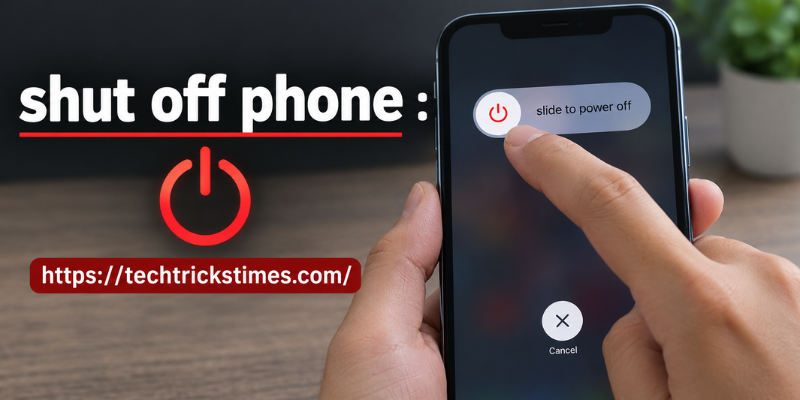

If you’ve ever needed to shut off phone functions quickly, you’re not alone. Whether your device is frozen, running slowly, or simply needs a break, knowing the correct way to power it down is an essential skill. A proper shutdown can improve performance, preserve battery life, and even solve common software glitches.
Many people leave their smartphones running continuously without realizing that an occasional shutdown helps the operating system refresh itself. In this guide, you’ll learn how to turn off different types of phones, when you should power them down, and what to do if the power button isn’t working.
Why You Should Shut Off Your Phone Occasionally
Although modern smartphones are designed to stay powered on for long periods, shutting them down from time to time offers several benefits.
Some advantages include:
- Clears temporary system files.
- Refreshes background processes.
- Improves overall performance.
- Helps conserve battery health.
- Fixes minor software glitches.
- Reduces overheating during heavy use.
Restarting or powering off your phone once every few days can keep it running smoothly without affecting your stored data.
How to Shut Off Phone on Android Devices
Android phones may vary slightly depending on the manufacturer, but the basic process remains similar.
Using the Power Button
The easiest method is:
- Press and hold the Power button.
- Wait until the power menu appears.
- Tap Power Off or Shut Down.
- Confirm if prompted.
Within a few seconds, your Android phone will completely turn off.
Using Quick Settings
Some newer Android versions allow you to power off directly from Quick Settings.
Simply:
- Swipe down from the top of the screen.
- Tap the Power icon.
- Choose Power Off.
This method is convenient when the side button has been customized for digital assistants.
How to Shut Off Phone on iPhone
Apple has changed the shutdown process over several iPhone generations.
For iPhone with Face ID
Follow these steps:
- Press and hold the Side button together with either Volume button.
- Wait for the power slider.
- Drag the slider to the right.
- Wait until the screen turns black.
For iPhone with a Home Button
Older iPhones require only one button.
- Press and hold the Side or Top button.
- Slide the Power Off slider.
- Wait for the device to shut down.
What to Do If the Power Button Doesn’t Work
A broken power button doesn’t always mean you cannot turn off your smartphone.
Here are several alternatives.
Use Accessibility Settings
Many Android and iPhone devices include accessibility features that create virtual buttons for system controls.
Shut Down Through Device Settings
Some Android phones allow shutdown through:
- Settings
- Safety & Emergency
- System options
- Power menu
The location depends on the manufacturer.
Let the Battery Drain
If no other option works, allowing the battery to fully discharge will eventually turn the phone off. This should only be used as a last resort.
Common Reasons to Shut Off Phone Regularly
Many users only restart their phones after a problem appears. However, routine shutdowns can prevent issues before they begin.
Improve Performance
Background apps continue consuming memory over time. Turning the phone off clears temporary processes and allows a fresh startup.
Save Battery Life
A phone that never rests may experience unnecessary battery drain. Powering it down during long periods of inactivity can reduce battery wear.
Fix Minor Software Bugs
Random freezing, lagging apps, delayed notifications, and touchscreen issues often disappear after restarting.
Prevent Overheating
Gaming, video editing, GPS navigation, and streaming can generate heat. Shutting the phone down for several minutes helps cool internal components.
Troubleshooting When Your Phone Won’t Shut Down
Sometimes pressing the Power button doesn’t produce any response.
Try these solutions.
Perform a Force Restart
Most smartphones support a hardware button combination for force restarting.
For example:
- Android: Hold Power + Volume Down.
- iPhone: Use Apple’s button sequence based on your model.
This forces the operating system to reboot.
Check for Software Updates
Outdated software can occasionally cause shutdown problems.
Installing the latest operating system version often resolves bugs affecting the power menu.
Remove Problematic Apps
If shutdown issues started after installing a new application, try uninstalling it.
Some poorly optimized apps interfere with system processes.
Contact Technical Support
Persistent shutdown failures may indicate hardware damage, such as:
- Faulty power button
- Battery problems
- Motherboard issues
- Water damage
Professional repair may be necessary.
Best Practices After You Shut Off Phone
Proper device care extends your smartphone’s lifespan.
Consider these habits:
- Restart your phone once every few days.
- Keep software updated.
- Avoid overheating.
- Use original chargers.
- Remove unnecessary background apps.
- Maintain at least 20% battery before charging.
- Back up important data regularly.
These simple practices improve reliability and long-term performance.
Frequently Asked Questions
Is it good to shut off phone every day?
Daily shutdown isn’t required, but restarting your phone every few days helps refresh memory, improve performance, and resolve temporary software issues.
Will shutting down my phone delete any data?
No. Powering off your smartphone does not erase photos, contacts, apps, or personal files. Everything remains intact after restarting.
Why won’t my phone turn off?
Software glitches, frozen apps, damaged buttons, or hardware faults can prevent shutdown. Performing a force restart usually resolves temporary problems.
Does turning off my phone save battery life?
Yes. A powered-off phone uses almost no battery, making it useful when you won’t use the device for several hours or during travel.
How often should I restart my smartphone?
Most experts recommend restarting your phone at least once every week to maintain smooth performance and clear temporary system memory.
Conclusion
Learning how to shut off phone devices correctly is a simple but valuable skill. Whether you’re using Android or iPhone, proper shutdown methods help improve performance, reduce software problems, and support battery health. By following the tips in this guide and restarting your device regularly, you can keep your smartphone running efficiently for years to come.
Stay in touch to get more updates & alerts on techtrickstimes.com! Thank you