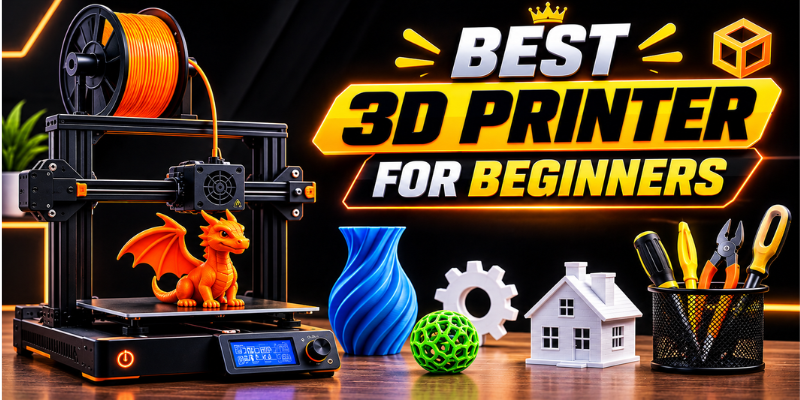

Finding the best 3d printer for beginners can feel confusing when every model seems to promise fast speeds, perfect prints, and advanced features. For someone buying a first machine, however, simplicity and reliability usually matter more than impressive specifications.
Modern beginner-friendly printers have become much easier to use, with features such as automatic bed leveling, guided calibration, flexible print surfaces, and simplified software. Current beginner guides frequently highlight machines from brands such as Bambu Lab, Creality, and Elegoo for different budgets and printing styles.
The right choice ultimately depends on what you want to make, how much space you have, and whether you prefer straightforward filament printing or highly detailed resin models.
What Makes a 3D Printer Beginner-Friendly?
A first 3D printer should not make you spend more time troubleshooting than actually printing. While learning the basics is part of the hobby, unnecessary setup complexity can quickly become frustrating.
One of the most useful features for new users is automatic bed leveling. Getting the print bed correctly positioned is essential for good first-layer adhesion, and automated systems can reduce one of the more common setup challenges.
A straightforward control interface is helpful too. Some newer machines provide guided setup procedures that walk users through calibration and loading filament. This is particularly useful for someone who has never worked with a 3D printer before.
Build quality also matters. A stable frame, dependable extruder, good-quality print surface, and sensible cable management can make the machine easier to live with over time.
Key Features to Look For
Before buying, consider:
- Automatic or assisted bed leveling
- A reliable first-layer system
- Easy-to-use slicing software
- Flexible or removable build plate
- Filament runout detection
- Automatic calibration features
- Good community support
- Simple maintenance
- A suitable build volume
You do not necessarily need every feature. The goal is to find a printer that removes unnecessary obstacles while still giving you room to learn.
FDM vs. Resin: Which Is Better for Beginners?
The first major decision is choosing between FDM and resin printing.
FDM printers work by heating plastic filament and depositing it layer by layer. They are generally easier to understand, less messy, and well suited to practical objects such as brackets, organizers, replacement parts, toys, and household accessories.
Resin printers use liquid photopolymer resin that is cured with light. They can produce highly detailed models and are particularly attractive for miniatures, figurines, jewelry designs, and other projects where surface detail is important. However, resin printing involves additional handling, washing, curing, and workspace considerations.
For most complete newcomers, FDM is the easier starting point. Resin becomes more appealing when fine detail is the main priority and the user is comfortable following additional safety and cleanup procedures.
Why PLA Is Popular for First-Time Users
PLA is one of the most common materials for beginners because it is relatively easy to print and is available in a huge range of colors and finishes.
It is useful for learning how slicer settings, layer height, infill, supports, and print orientation affect the final object. Once you become comfortable with PLA, you can explore materials such as PETG or flexible TPU for projects requiring different characteristics.
Choosing the Right Size and Print Speed
A larger build volume sounds attractive, but beginners should consider whether they actually need it.
A compact printer can be easier to place on a desk and may be sufficient for small models, accessories, and household parts. A larger machine becomes more useful if you plan to produce helmets, large organizers, oversized prototypes, or multiple objects at once.
Print speed deserves similar consideration. Manufacturers often advertise impressive maximum speeds, but maximum speed is not necessarily the same as producing consistently good-looking prints.
For a first machine, reliability and print quality are generally more valuable than chasing the highest advertised number. A printer that completes a slightly slower job successfully is more useful than one that requires constant adjustment.
Features That Make Printing Easier
Beginner-oriented printers increasingly include features that reduce routine work. Automatic calibration, sensor-assisted leveling, remote monitoring, and improved slicer software can all make the learning curve less intimidating.
For example, current beginner recommendations include the Bambu Lab A1 and A1 Mini because of their automated setup and calibration features, while enclosed options such as the Elegoo Centauri Carbon target users who want a more contained design.
Software is just as important as hardware when choosing the best 3d printer for beginners, because a good slicer converts a 3D model into instructions that the printer can understand. Beginner-friendly software should make common settings easy to find without hiding advanced controls from users who eventually want to experiment.
Don’t Overlook Connectivity
Wi-Fi and mobile connectivity can be convenient, especially when you want to send files without repeatedly moving a memory card.
However, wireless features should be considered a convenience rather than a reason to buy a particular printer. A reliable USB or memory-card workflow can work perfectly well for many beginners.
Budget, Accessories, and Long-Term Value
The purchase price is only part of the cost of getting started.
FDM users may need filament, spare nozzles, cleaning tools, and basic maintenance supplies. Resin printing can require additional equipment such as gloves, cleaning supplies, a wash-and-cure setup, and an appropriate workspace.
This is why the cheapest printer is not automatically the best deal. A slightly more expensive model with automatic calibration, dependable software, and easier maintenance may save both time and frustration.
Current 2026 beginner recommendations span inexpensive compact machines through more advanced models, so there is no single price point that defines a good starter printer.
Consider Upgrade Potential
If you expect your interest in 3D printing to grow, look for a machine that can accommodate future needs.
Upgradeable storage is not relevant in the same way it is with a computer, but replaceable nozzles, different build surfaces, additional filament options, and accessory compatibility can extend a printer’s usefulness.
You should also check whether replacement parts are readily available. A machine may look like a bargain until a worn component becomes difficult or expensive to replace.
Safety and Workspace Tips for New Makers
A 3D printer should have a dedicated, sensible workspace. Keep the machine on a stable surface away from clutter and anything that could be damaged by heat.
FDM printing involves a hot nozzle and heated components, so users should avoid touching the machine’s hot areas during operation. Good ventilation is also a sensible precaution.
Resin printing requires additional care because uncured resin should not be treated like ordinary plastic. Gloves, suitable ventilation, careful cleanup, and proper handling are important parts of the workflow.
Children should also use 3D printers with appropriate adult supervision, particularly around heated components, moving parts, tools, and resin materials.
FAQs About Beginner 3D Printers
What is the best 3d printer for beginners?
The best choice depends on your budget and what you want to print. For many first-time users, an easy-to-use FDM printer with automatic leveling and guided calibration is a practical starting point. Current beginner recommendations include models such as the Bambu Lab A1 and A1 Mini, while other machines may offer better value depending on local pricing.
Is FDM or resin better for a first 3D printer?
FDM is generally easier for beginners because filament handling is simpler and the overall workflow involves fewer cleanup steps. Resin is excellent for highly detailed models, but it requires more careful handling and post-processing.
How much should a beginner spend on a 3D printer?
There is no universal budget. Entry-level FDM printers can provide a good introduction without requiring a major investment, while more automated models can cost more but save time during setup. It is wise to leave some of your budget for filament and basic accessories.
Is a fast 3D printer better for beginners?
Not necessarily. Speed is useful, but consistent first layers, reliable extrusion, good print quality, and easy calibration are usually more important when learning. Once you understand the basics, faster printing becomes easier to appreciate and manage.
What should I print first?
Start with simple models that teach you something about the machine. Small organizers, basic brackets, calibration models, phone stands, and simple decorative objects are good choices. Avoid starting with a huge, complicated project that requires hours of printing and extensive supports.
Conclusion
Choosing the best 3d printer for beginners is less about finding the machine with the longest feature list and more about choosing one that makes the first few months enjoyable. Automatic leveling, dependable print quality, easy software, and accessible maintenance can make a major difference.
FDM is usually the simplest starting point, while resin is worth considering when detailed miniatures and smooth surfaces are your main goals. Think about your workspace, materials, budget, and future projects before buying.
A good first printer should encourage experimentation rather than make you afraid to press the print button. Choose a reliable machine, learn the basics gradually, and you will have plenty of room to grow.
Stay in touch to get more updates & techtrickstimes.com on site! Thank you